
Running a school involves hundreds of small decisions every day. The administration team handles admission enquiries, teachers update student records, accountants follow up on pending fees, and parents expect timely information about their children. When these responsibilities are managed through separate registers, spreadsheets, and applications, even a simple task can turn into a lengthy process.
This is one reason many schools are considering School ERP software. A well-chosen system can help bring administrative and academic activities into one place, making everyday work easier to manage.
However, buying software does not automatically solve a school’s problems. The wrong platform can introduce new complications, increase expenses, or leave staff struggling with a system they rarely use.
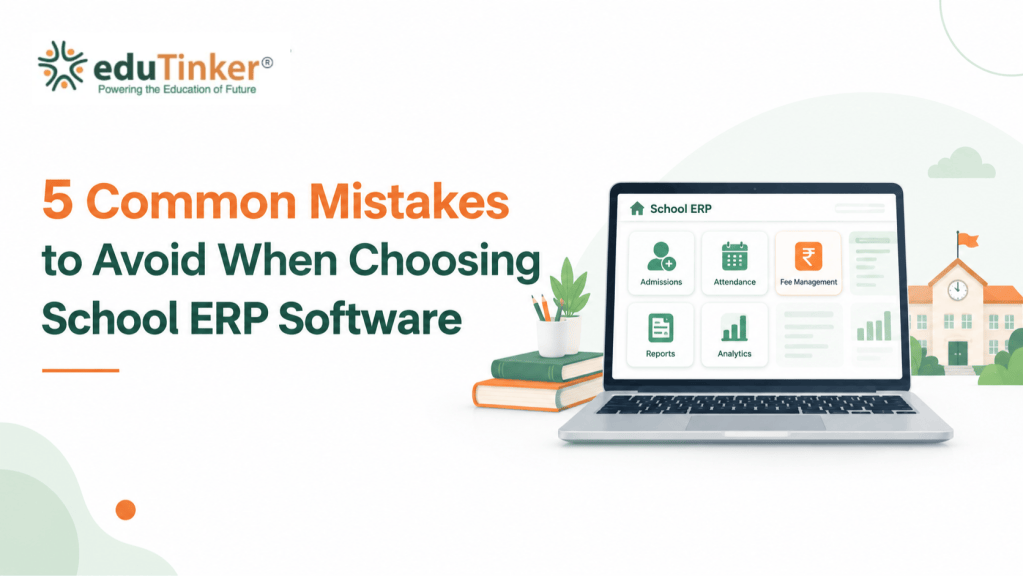
Before investing in a school management system, it is worth understanding what can go wrong. Here are five common mistakes schools should avoid when choosing School ERP software.
It is natural for school management to begin by comparing prices. Budgets matter, especially when institutions need to balance technology investments with salaries, infrastructure, learning resources, and other expenses.
The problem starts when the decision is based only on the price shown in a quotation.
Imagine a school choosing an affordable ERP system, only to discover later that staff training, additional modules, data migration, or certain support services cost extra. What initially appeared to be a budget-friendly option may turn out to be more expensive than expected.
The opposite can happen, too. A school might pay for an advanced package filled with features that its team does not need.
Instead of asking which provider offers the lowest price, school administrators should consider what they will actually receive for their investment.
What should schools do?
Ask for a clear breakdown of the complete cost, including setup, subscriptions, training, upgrades, support, and any optional features. Check whether the pricing changes with the number of students, users, or campuses.
Most importantly, consider whether the software addresses problems that currently consume staff time. The right investment should make daily work more manageable, not simply add another expense to the school’s budget.
A school ERP platform may advertise dozens of features, but a long feature list does not necessarily mean the software will meet the institution’s needs.
Consider a school that receives online admission applications. After a student is admitted, the administrative team may need to enter the same details again into student records, class lists, and fee records. If these activities remain disconnected, the school is still doing much of its work manually despite having digital software.
This is where integration becomes important.
Before selecting a system, schools should identify the activities that cause the most difficulty. For one institution, the priority might be admission processing. Another may need better control over fee collection, attendance records, examinations, or parent communication.
The platform should support the school’s actual workflow rather than force employees to work around its limitations.
Some useful capabilities to evaluate include:
- Admission management: Organises applicant details and admission-related information.
- Student information management: Keeps student profiles and relevant academic records accessible.
- Fee management: Helps maintain fee structures, payment records, receipts, and outstanding dues.
- Attendance management: Makes it easier to record and review student and staff attendance.
- Examination management: Supports the organisation of assessments, marks, and results.
- Parent communication: Helps schools share announcements and important updates.
- School analytics: Provides reports that help administrators review school operations.
The important question is not simply whether these features exist. Schools should also understand how information moves between them.
What should schools do?
Prepare a list of the problems the software must solve. During a demonstration, ask the provider to show a complete task from beginning to end. For example, find out what happens to a student’s information after admission and whether the relevant details can be used by other connected modules without repeated manual entry.
This practical check can reveal more than a presentation full of feature names.
School leaders may be responsible for purchasing the system, but they are not the only people who will use it. Teachers, accountants, reception staff, administrators, and parents may all interact with different parts of the platform.
A system can look impressive during a sales demonstration and still be difficult to use during a busy school day.
Think about a teacher who needs to record attendance before a class begins. If the process involves too many screens or confusing options, the teacher may find it easier to return to the old register. Similarly, an accountant who struggles to locate payment details may continue maintaining separate spreadsheets.
Over time, the school ends up paying for software while continuing to depend on its previous methods.
Ease of use should therefore be considered a practical requirement, not an optional extra.
Mobile accessibility also deserves attention. Parents may want to check a fee update or school announcement from their phones, while staff may need access to selected functions when they are away from their desks.
What should schools do?
Invite a few teachers and administrative employees to test the software before making a final decision. Ask them to complete ordinary tasks, such as marking attendance, finding a student record, checking payment information, or preparing a report.
Pay attention to how easily they can complete each task without assistance. Also check whether the parent and staff applications offer the functions their respective users need.
A system that fits naturally into people’s working routines is more likely to be used consistently.
School records contain information that should not be accessible to everyone. Student details, parent contact information, staff records, and financial transactions all require careful handling.
Yet security can be overlooked when a school focuses mainly on features, pricing, and appearance.
For example, if employees can access records beyond their responsibilities, information may be exposed unnecessarily. Inadequate backups can also create difficulties if records are accidentally deleted or a technical problem interrupts access.
Schools should understand how their chosen provider protects information, controls access, and handles unexpected situations.
Future growth matters just as much. A system that works for a small institution may become difficult to manage when enrolment increases, new classes are introduced, or another campus opens. Changing software later can involve additional costs, staff training, and the transfer of existing records.
Choosing a platform that can accommodate reasonable growth helps schools avoid making the same investment decision again too soon.
What should schools do?
Ask the provider about user permissions, data protection measures, backup schedules, recovery procedures, and its approach to handling school information. Understand what happens to the school’s records if the service ends or the institution decides to change providers.
Discuss future requirements as well. Find out whether additional users, campuses, modules, and reporting needs can be accommodated, and whether these changes affect the price.
A suitable School ERP system should meet today’s requirements while leaving room for tomorrow’s changes.
Choosing a suitable platform is only one part of the process. The way the software is introduced to the school can make a significant difference to its success.
Before implementation, schools may already have years of student records, fee histories, staff details, and other information stored across different files. Some records may be incomplete, duplicated, or outdated. Transferring everything without checking the data can carry these problems into the new system.
Staff members also need time to understand the new processes. If the software is introduced without proper guidance, employees may become frustrated when familiar tasks suddenly require a different approach.
Support after installation is equally important. Questions often arise when staff begin using a system in their everyday work, rather than during the initial demonstration.
For these reasons, schools should evaluate the provider’s implementation process alongside the software itself.
What should schools do?
Before signing an agreement, clarify who will help configure the system, transfer existing records, test workflows, and train employees. Ask how staff can contact support when they face a problem and what response arrangements are available.
Where possible, test the software with a small group of users before introducing it across the institution. This gives the school an opportunity to identify difficulties and address them early.
A planned rollout is generally more manageable than trying to move every department to a new system at once without sufficient preparation.
Avoiding these mistakes becomes easier when the selection process starts with the school’s own requirements.
Begin by speaking with the people who handle daily operations. Teachers may identify difficulties with attendance or academic records, while the accounts team may need a better way to review outstanding fees. School leaders may be more concerned with reporting, coordination, and overall visibility.
Once these needs are clear, compare potential platforms against the same criteria. Look at relevant features, integration, usability, security, pricing, implementation, and customer support.
Do not rely entirely on brochures or promises. Ask providers to demonstrate common tasks and give your team enough time to assess the experience.
It is also helpful to distinguish between essential requirements and features that may become useful later. This prevents schools from paying for unnecessary functionality while overlooking the tools they need most.
The best choice is not necessarily the platform with the largest feature list. It is the one that fits the school’s working methods, supports its priorities, and can continue to serve it as its needs evolve.
Managing school operations becomes easier when essential information and activities are organised through a connected digital environment.
eduTinker offers School ERP and school management solutions that cover areas such as admission management, student information, fee management, attendance, examination-related activities, digital learning resources, parent communication, and school analytics.
These capabilities address different parts of school administration. Admission management helps organise applicant information, fee management supports the maintenance of payment records, and school analytics helps administrators review operational information through reports and dashboards.
For schools evaluating a new system, the next step is to understand how these capabilities align with their existing processes. Reviewing the available modules, configuration options, implementation arrangements, and support services can help decision-makers determine whether the platform meets their requirements.
Explore eduTinker’s solutions at https://edutinker.com/ to learn more about its School ERP and school management capabilities.